The web app is live at earwig.io/app. Sign in the way you always do, and every Earwig you have recorded is there.
Nothing to upload
When a recording ends on the phone, it appears in the web app on its own, with the transcript, the markers and the audio. Your footage stays on your drives.
Find anything
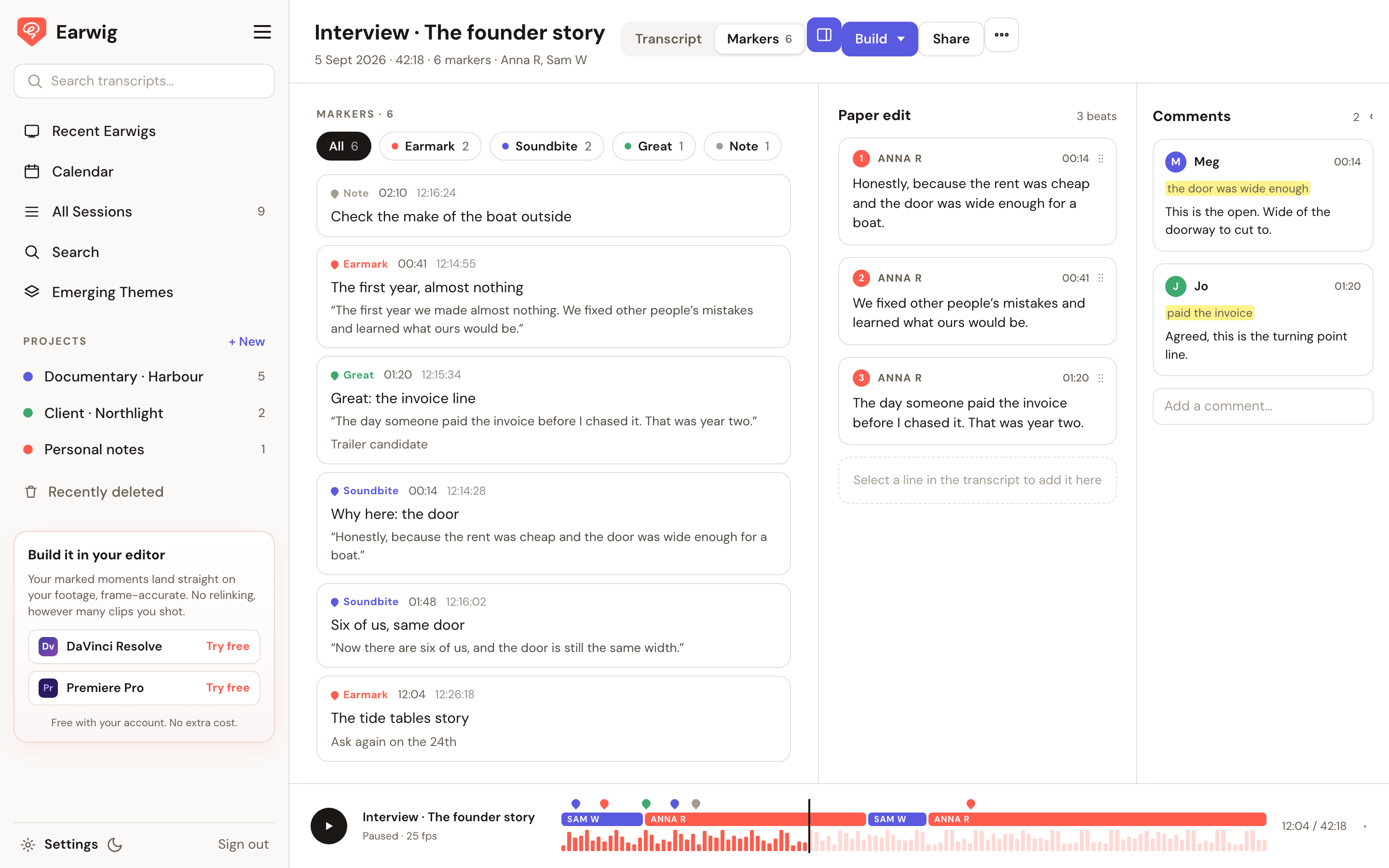
Recent Earwigs, All Sessions, and a Calendar that shows your shoots by day. Projects group them, with a prep plan for the next one. Search runs across every transcript, or ask it to find you a line. Emerging Themes reads a whole project and tells you what keeps coming up.
Read it, mark it
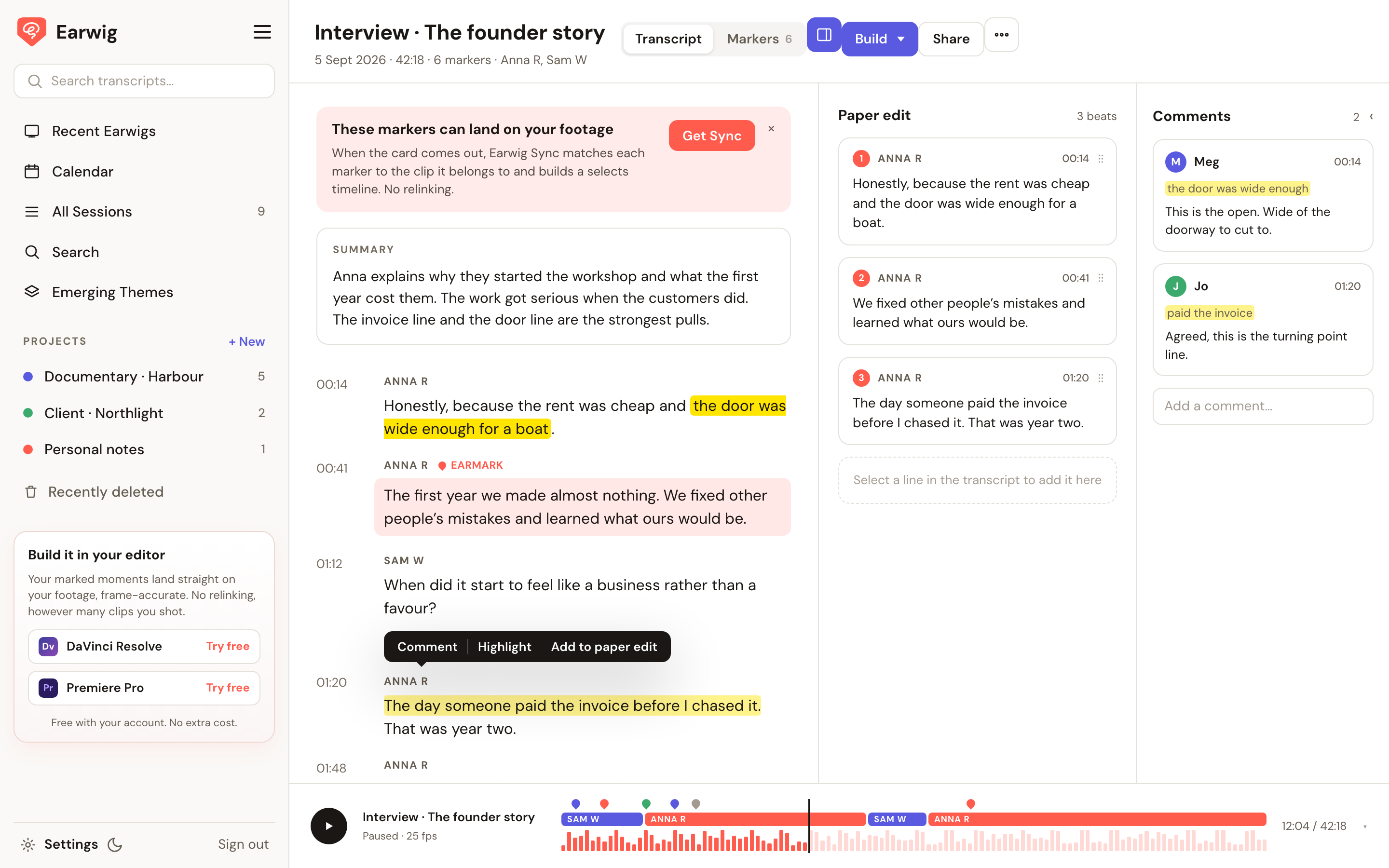
Each Earwig opens with a summary and the transcript, speakers named, timecodes down the side. Markers has every moment you tapped on set, by type, with the line that was being said. Click one and the audio plays from there.
Select a line to work
Highlight it. Comment on it, for your producer or your editor. Add it to the paper edit, and the beats stack up on the right in the order you want. That is the spine of the film before anyone opens a timeline.
Build it in your editor
Build puts the markers onto your footage in Resolve or Premiere through the plugins, on Mac and Windows, free with your account.
Share it
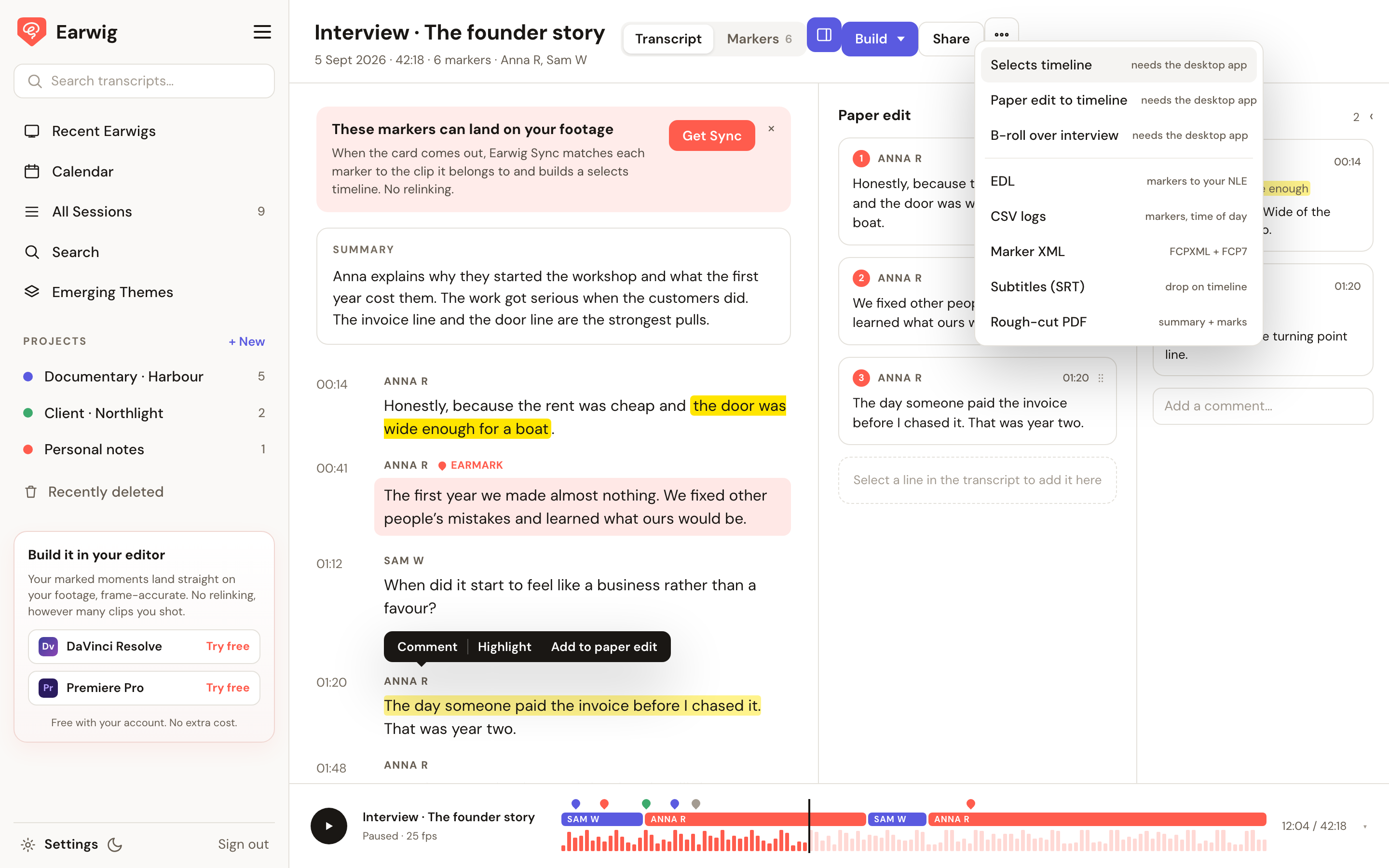
Invite your editor and they get a sign-in link straight to the shoot. Or send a view link, or the files: XML, FCPXML, EDL, CSV, subtitles, a PDF log and the phone audio.
Also in there: dark mode, your export frame rate, and a Recently deleted bin with 30 days to change your mind.
earwig.io/app
Comments
No comments yet — be the first.