Your first shoot with Earwig Marker
The idea in one paragraph
You film with your real camera, as you always do. Earwig runs on your phone beside it. When something good happens, you tap once, and Earwig remembers the moment: the time, and the words being said. Later, Earwig Sync on your Mac matches those marks to your footage and builds the edit's starting point for you.
1. Sign in
Enter your email and we send you a six-digit code. No password to remember. The same account works in the iPhone app, on the web, and in Earwig Sync on your Mac.
2. Start a session
Tap Record when you roll. Allow microphone and speech access the first time; that is what lets Earwig hear the room and attach the spoken words to your marks. Keep the phone anywhere it can hear the conversation.
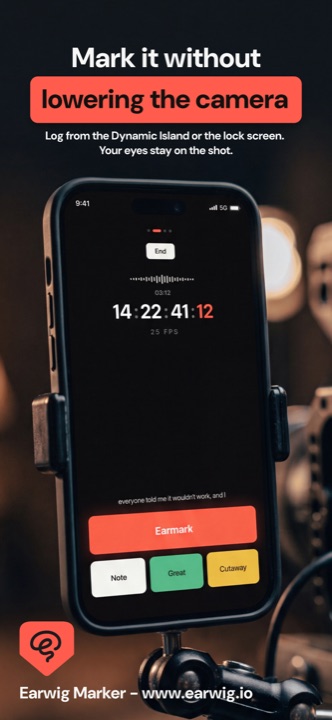
Filming a long take? Lock the phone or switch apps freely. The session keeps recording, and the Lock Screen shows a Mark button so you can log a moment without touching the camera or opening the app.
3. Mark the keepers
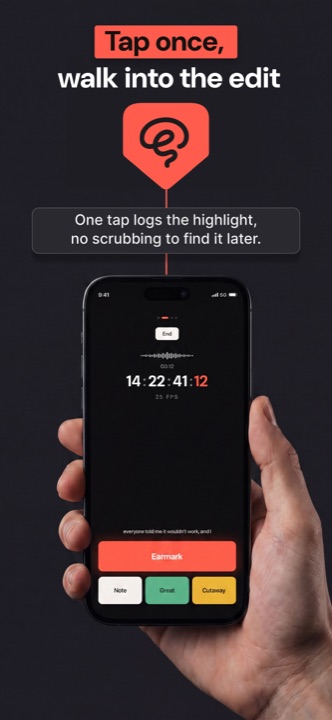
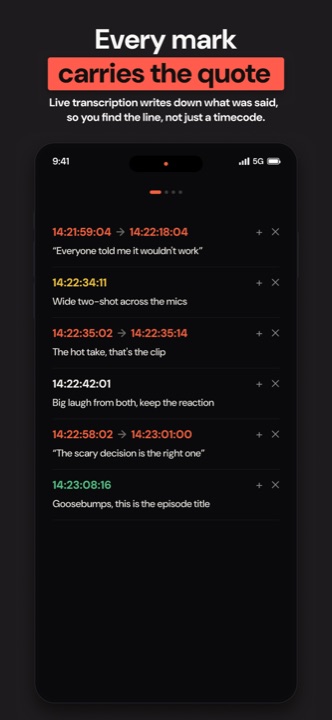
Tap EARMARK when someone says the line you know you will use. Tap Cutaway, Great take or Note for everything else. Each tap saves a timecode, and with transcription on, the exact sentence being spoken. You can customise the buttons to your own workflow (see Markers and custom buttons).
4. End and save
Tap End Recording and choose Save. The session lands in your projects with every marker, its timecode, and the transcript. Share the shoot log with a producer straight from that screen if you need to.
5. Build the edit
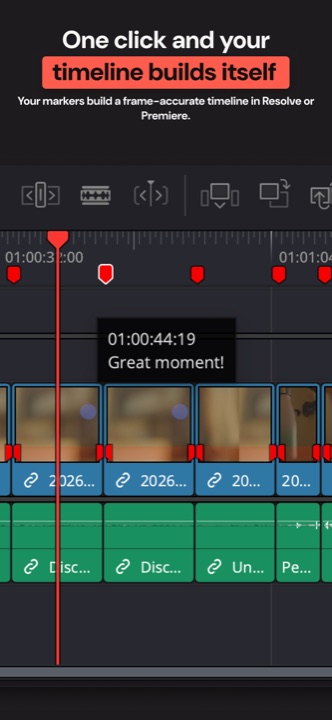
Back at your desk, open Earwig Sync on your Mac, sign in, and insert your camera card. Sync matches your marks against the footage and builds a selects timeline in DaVinci Resolve or Premiere Pro in one click. That whole flow has its own guide: Earwig Sync, card to timeline.