The Mac companion

From card to cut,
in one click.

You marked the moments on set with Earwig Marker. Sync matches those markers to your camera footage — by listening to the audio — and builds your selects timeline in DaVinci Resolve or Premiere Pro. No scrubbing, no logging day.

Download Earwig Sync Get the phone app
Free download · macOS
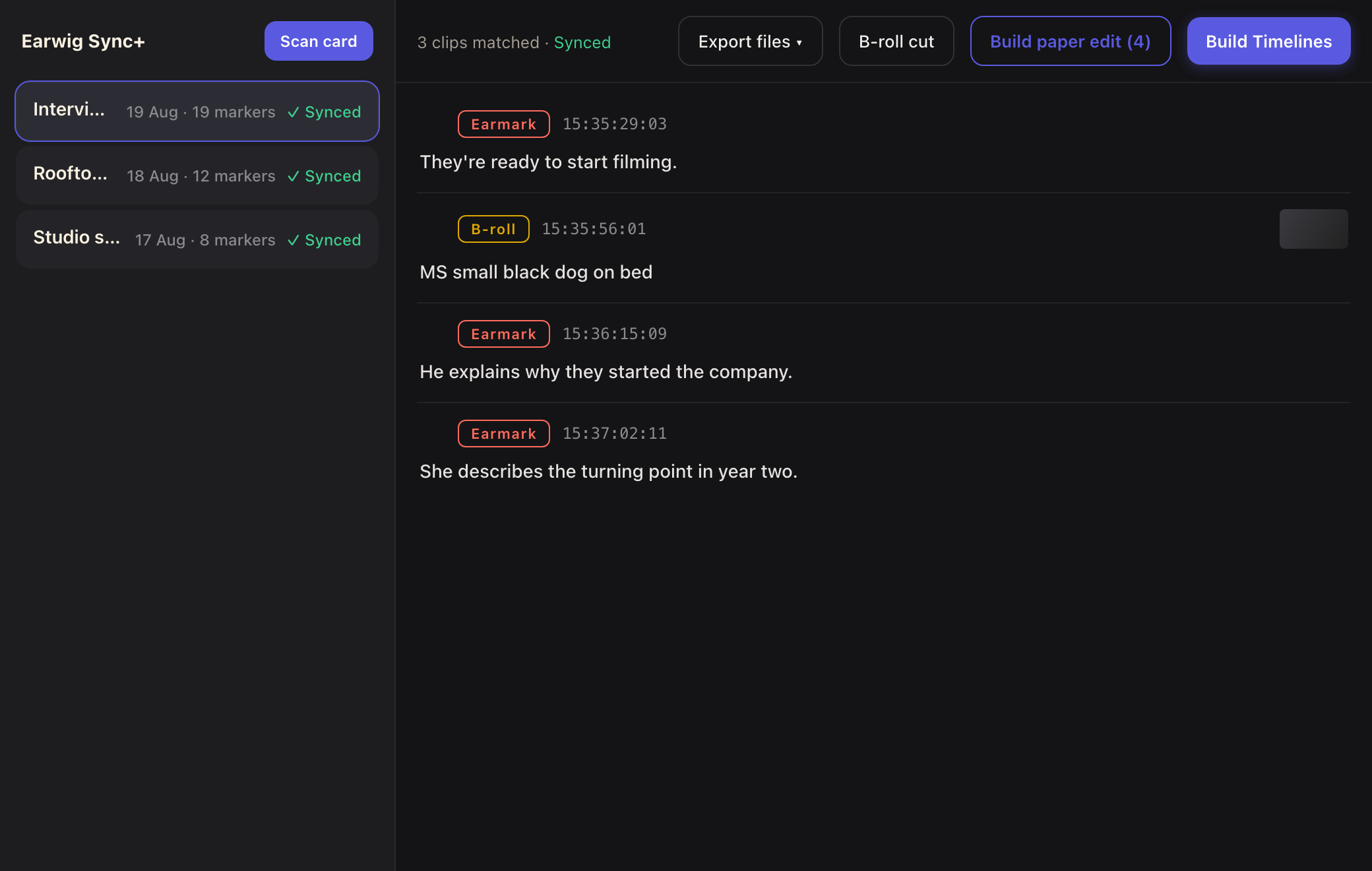
Earwig Sync on a MacBook in a podcast studio, markers ready to build into a timeline
How it works
01

Drop your card in

Point Sync at your offloaded footage. It scans the clips, reads their timecode and matches them to the shoot session your phone logged.

02

It listens

Sync cross-correlates your phone's session recording against each clip's own audio. That places every marker frame-accurately — no timecode boxes, no jam sync, and it even refuses footage from the wrong shoot.

03

One click to a timeline

Build straight into Resolve or Premiere: a selects timeline cut on your marked words, a cutaways reel, and an everything-timeline with all your markers, named, coloured and carrying the quote.

Word-accurate timecodes.

The selects you made during filming, automatically built in your timeline. Saving you hours.

DaVinci Resolve & Premiere Pro

Native builds for both. Premiere arrives as a dated bin with Footage and Timelines folders; Resolve lands on your Selects timeline with coloured markers.

Paper edit on your Mac

Drag across the transcript to lift word-accurate quotes into a running order, then build that order as a timeline.

Search everything

Find any moment across a session's markers — summaries, quotes, types, timecodes — as you type.

Wrong-card protection

If clips don't match what your phone actually heard, Sync says so instead of guessing — timecode collisions can't build you the wrong film.

Your edit, already started.

Marker on the phone. Sync on the Mac. The moment in your timeline.

Download for Mac