
Earwig
An AI assistant that helps you on the shoot.




We all finish our shoots after early morning coffees, long drives and late nights, to find an edit waiting for us and rushes we need to shape, fast.
We believe a lot of filmmaking should be about the creative process, not the admin.
Our goal is an assistant on every shoot that helps with logging, note taking and call sheets, so you can do the bit that matters… the creative process!
We're trying to build an AI assistant that takes the load off. It just can't order you a coffee.
You're early to Earwig, so give it a try and let us know what you think.

Pick your Earwig
Two plans, paid monthly. No free trial, and you can cancel any time.
Hours, no subscription
Pay once. They work on any account, and they never expire.
Cancel any time and keep your plan to the end of the month you paid for. Questions?
Before you ask
What to know about Sync, your footage and getting set up.
What is Earwig Sync?
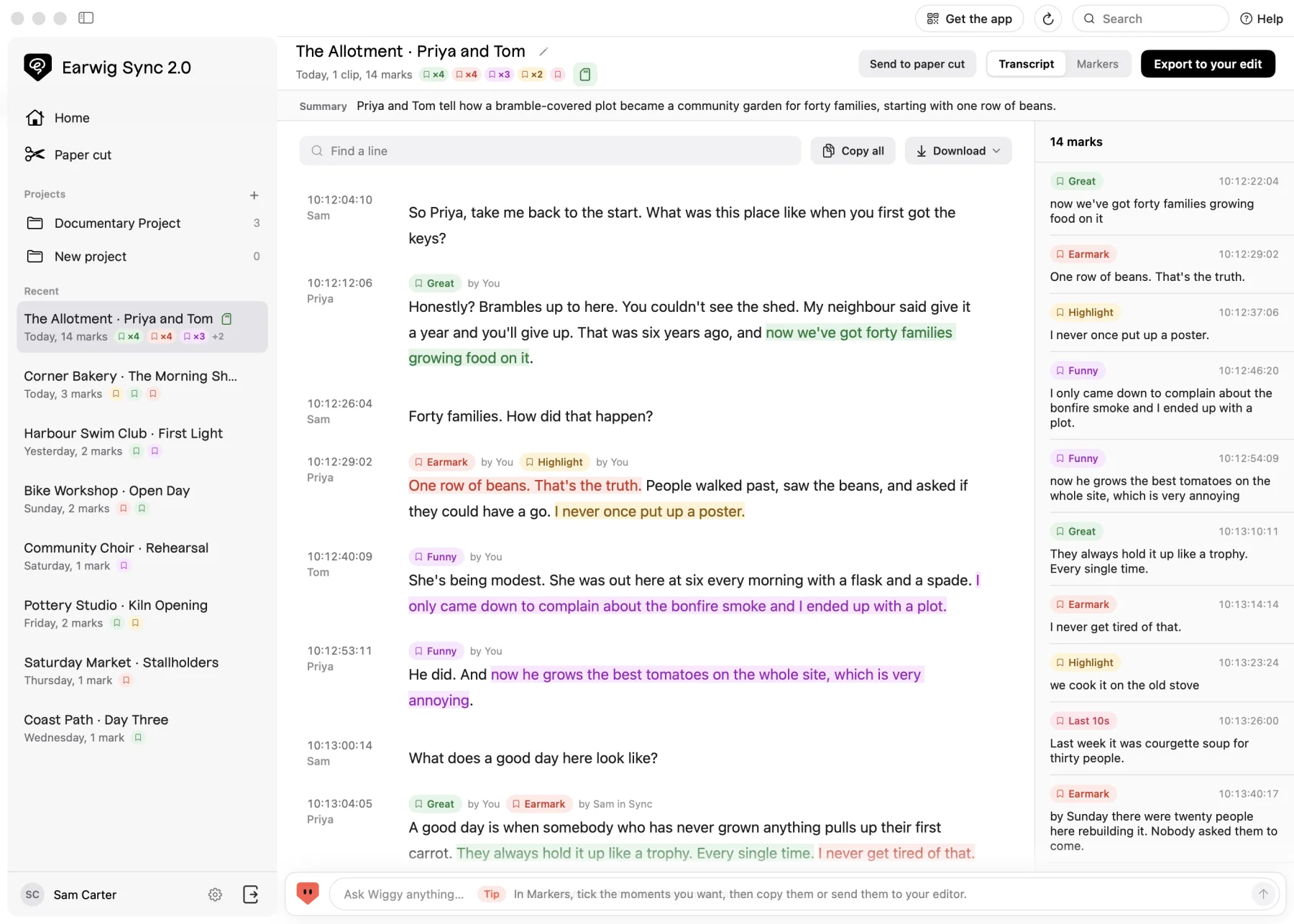
A Mac app for filmmakers. You mark moments on your iPhone while you film, and Sync puts those marks into your edit in DaVinci Resolve or Premiere Pro.
Do I need the iPhone app?
Yes. You mark on the phone while you film, and Sync is where the marks land on your Mac.
What do I need on my Mac?
macOS 14 or later, and DaVinci Resolve or Premiere Pro to send into.
What is the difference between Marker and Pro?
Marker puts your marks into your edit. Pro adds live transcription, 10 hours a month, a rough cut and AI summaries.
Is there a free trial?
No. You pay when you buy, and you can cancel any time.
Can I cancel any time?
Yes. Sign in at www.earwig.io/app, click Settings at the bottom left, then Manage next to Plan. Cancelling stops the next payment, and you keep the plan until the end of the month you have paid for.
What happens if I run out of hours?
Buy more, with no subscription: 3 hours for £9.99, 10 for £24.99 or 25 for £49.99. They never expire.
How are my transcripts stored?
Encrypted with AES-256, using a key unique to your account. Or switch on Private mode and transcription stays on the phone. Nothing leaves it. More on trust
Do you train AI on my footage?
No. We never use your recordings or transcripts to train AI models, ours or anyone else's.
Why do I have to use the same email everywhere?
Your plan is tied to your email. Sync on your Mac and Earwig on your iPhone must both use it, or your plan will not show up.
Filming with a crew?
Productions starts from £60 a seat. Book a call and we will go through it.