
Every take logged while you shoot
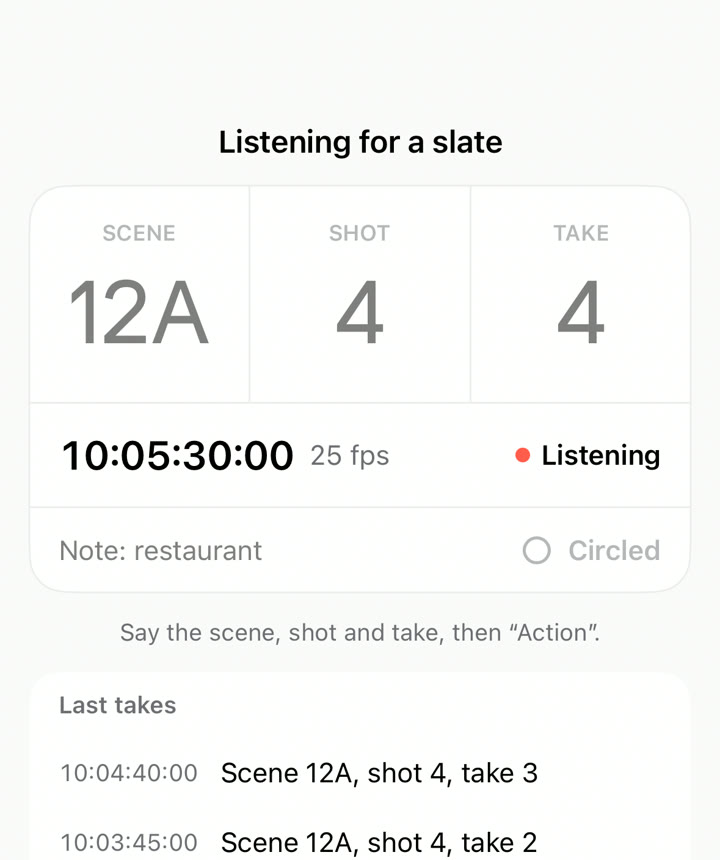
Say the slate out loud as you shoot. Earwig writes down the scene, shot and take against timecode, and at wrap your take log is ready.
Three people write down the same take
Camera report, sound report, script notes. By wrap they do not always agree, and nobody has time to check.
An assistant editor types it all into the bin by hand.
There is no log at all. The edit starts by watching everything.
Say the slate. Earwig does the writing
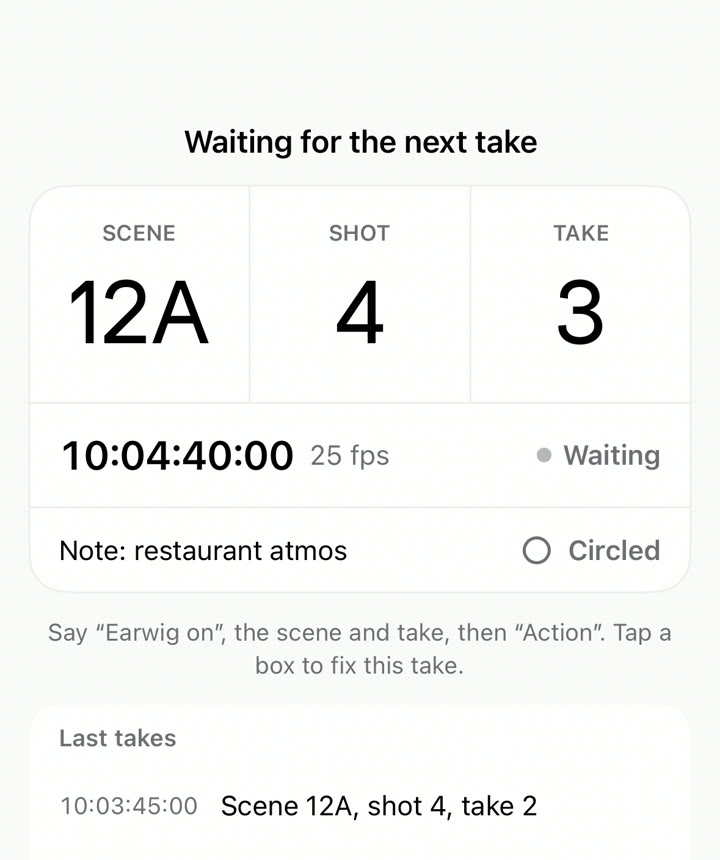
- “Earwig on.” A slate is coming. Then call it as you do now: “Scene 12, take 3.”
- “Action.” The take is logged against timecode.
- “Circle that.” The take is circled.
- “Take 4.” On its own, it keeps the scene and shot from the last take.
Every one of these words can be changed in the app to fit how your set talks.
How it works
Scan the camera. Scan the camera's timecode and every take matches it, at its frame rate. No time? Start on the phone's clock, and the take log says so.
Shoot as normal. Slate and clap as you always do. The phone sits on the cart and listens.
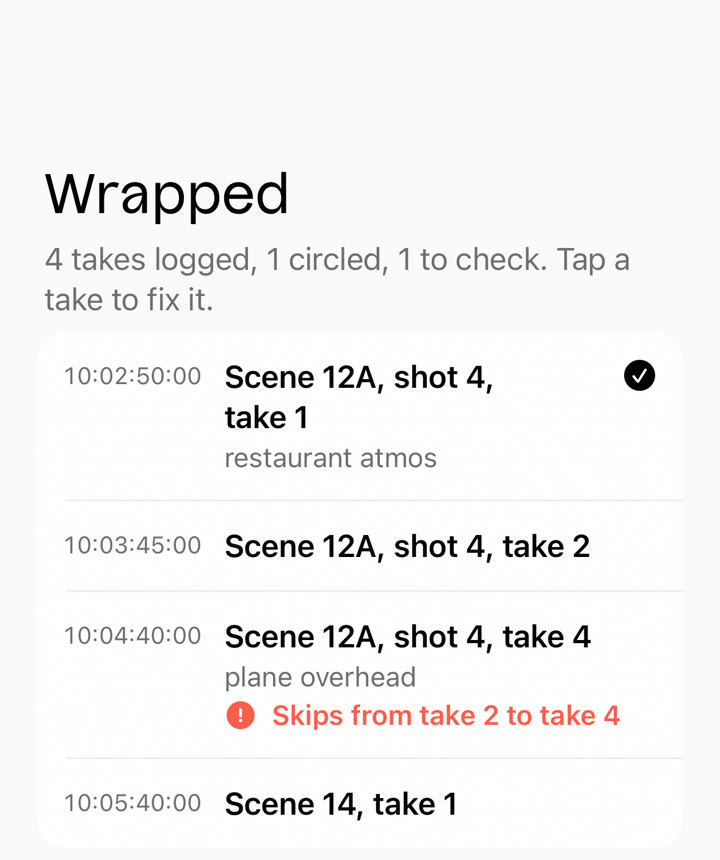
Check it at wrap. Earwig counts the takes and flags the ones to look at: a missing number, a skipped take, the same take twice. Tap any take to fix it.
Send it. A PDF take log for the office, and a CSV for the edit and sound.
What you send
The PDF
Every take with its timecode, scene, shot and take, circled takes ringed, and the frame rate and where the timecode came from.
The CSV
The same log for any spreadsheet, with the frame rate and timecode source on every row, so it still makes sense once sorted.
Plans
The take log is in testing. Book a call and we will set you up for your next shoot.
Logger
For one crew member.
- Includes
- The take log on your iPhone
- Check and fix at wrap
- PDF and CSV
Pro
For self-shooters.
- Everything in Logger, plus
- Live transcription, 10 hours a month
- Earwig Sync for Mac
- Your marks in DaVinci Resolve or Premiere Pro
Production
For a production and its crew.
- Everything in Pro, plus
- A take log for every shooter
- DPA and invoice billing
- Set up with you on a call
Questions
Does it replace the clapperboard?
No. You still clap for sync. Earwig keeps the log.
Will it hear the slate on a noisy set?
Keep the phone near whoever calls the slate. At wrap, any take with a missing number, a skip or a repeat is flagged for you to check.
What about wild tracks?
Say “wild track” and it is logged as one.
Does it work without a slate?
Yes. On documentary and unscripted shoots you mark moments by tap or voice, as on any Earwig shoot.
Where does the audio go?
Your phone listens for “Earwig on”. From there until the take is logged, Speechmatics, a UK company, turns the audio into words. The rest of the day is not transcribed. What happens to your footage
Which timecode does it use?
Scan the camera's timecode at the start and the takes match it, at the camera's frame rate. Without a scan it uses the phone's clock, and the take log says so.
Can I change the words?
Yes. “Earwig on”, “Action” and “Circle that” can each be changed in the app.